Backend Screenshots

See the workflow screens before you install.

These are direct captures from the live WordPress admin experience, not painted mockups. They show the actual dashboard, plugin stack, forms, CRM, analytics, SEO, and commerce surfaces used in the workflow.

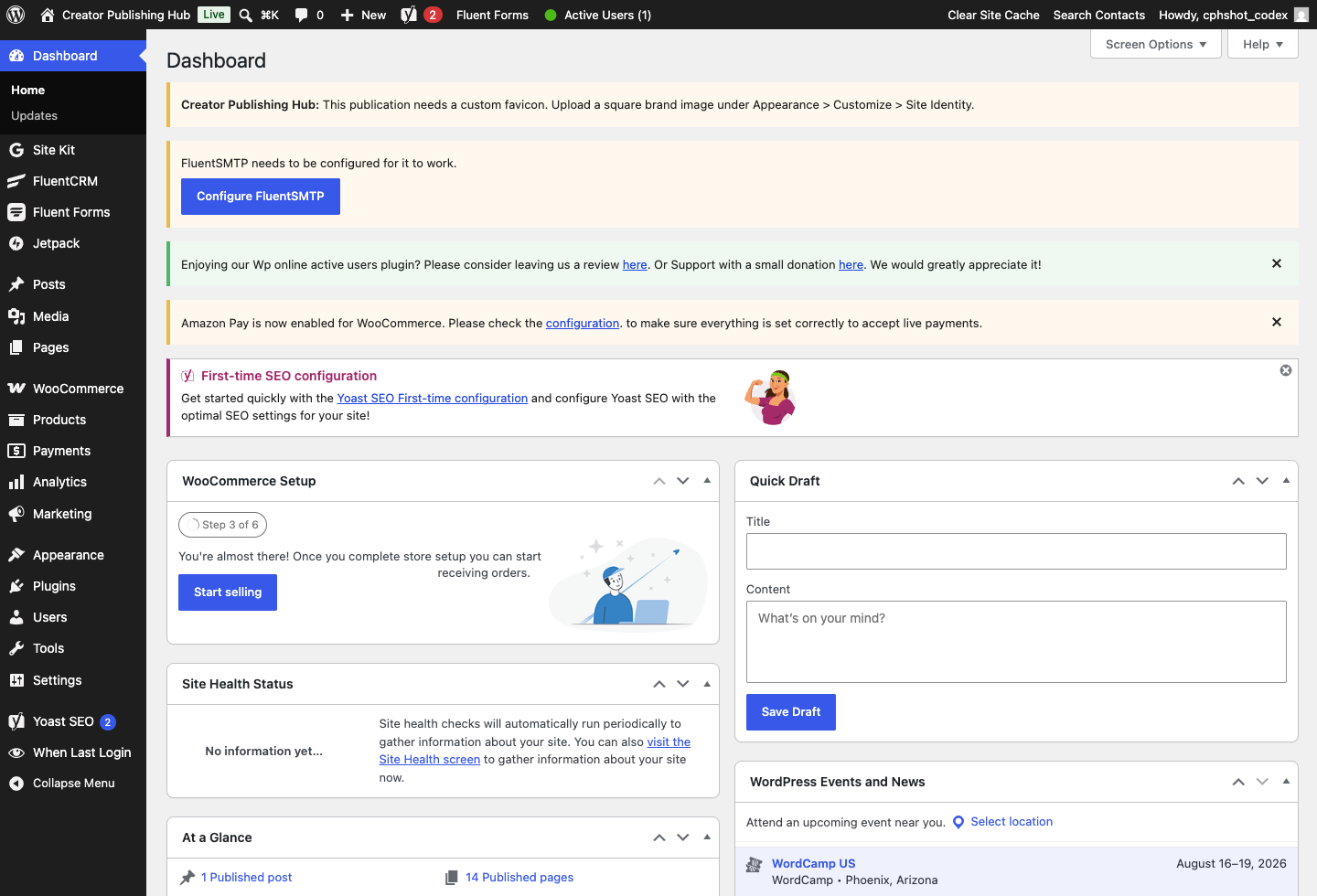
Live WordPress Dashboard screenshot
Core dashboard

Live WordPress Dashboard

Live dashboard on CreatorPublishingHub.com with the installed baseline, notices, cache controls, and connected tools.

Open full screenshot
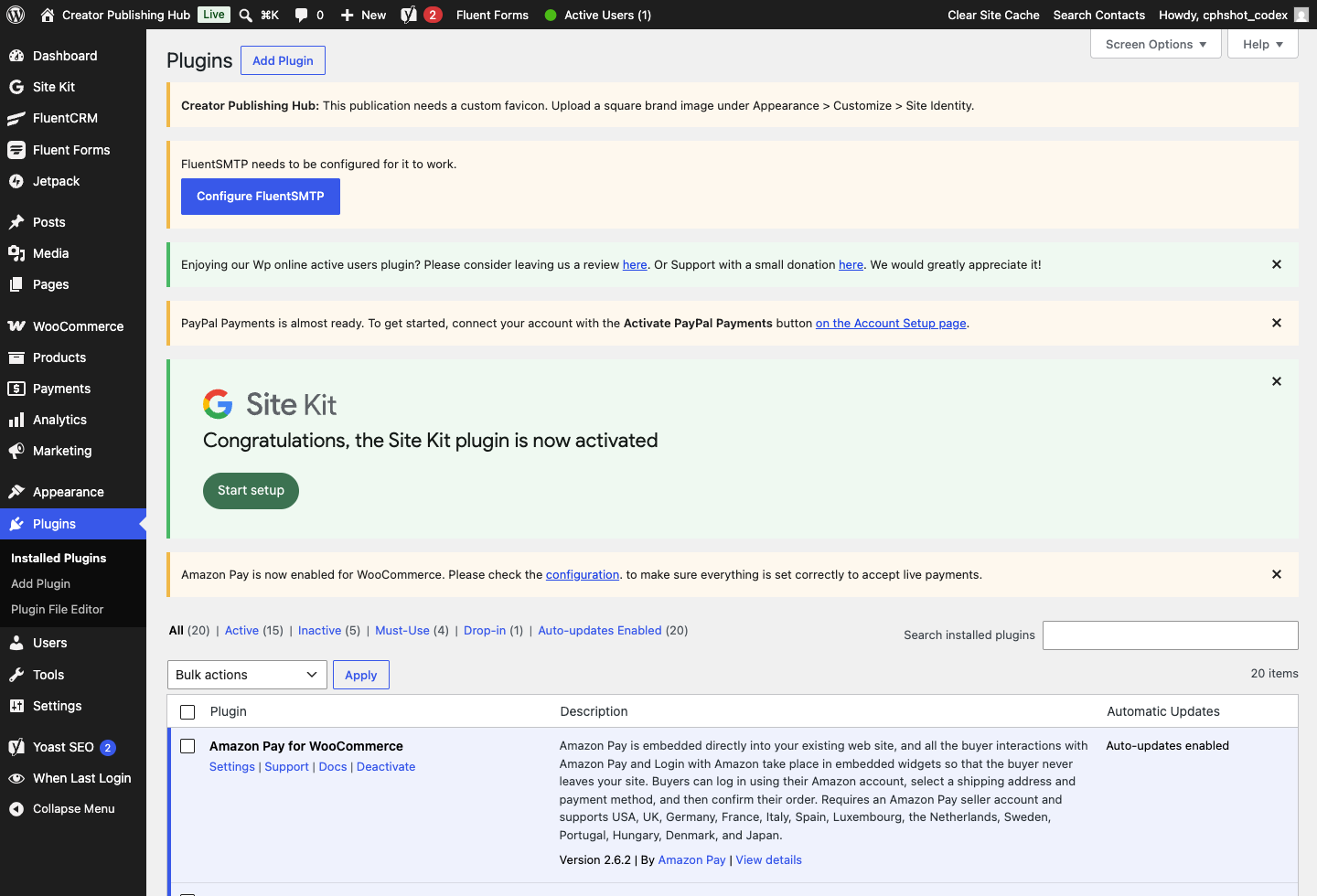
Installed Plugin Stack screenshot
Plugins

Installed Plugin Stack

Actual Plugins screen on CreatorPublishingHub.com showing the shared publishing, forms, CRM, commerce, SEO, and analytics stack.

Open full screenshot
Fluent Forms screenshot
Forms

Fluent Forms

Lead-capture form management for contact, signup, customer intake, and vertical site workflows.

Open full screenshot
FluentCRM Setup screenshot
CRM

FluentCRM Setup

Live CRM onboarding before customer lists, campaigns, and follow-up funnels are configured.

Open full screenshot
Google Site Kit screenshot
Analytics

Google Site Kit

Live analytics setup screen for traffic, search, speed, and performance visibility.

Open full screenshot
Yoast SEO Baseline screenshot
SEO

Yoast SEO Baseline

Real SEO admin surface used alongside Creator Publishing Hub search helpers such as IndexNow, llms.txt, and sitemaps.

Open full screenshot
Commerce Readiness screenshot
Commerce

Commerce Readiness

Live commerce setup screen reserved for site-key purchases, checkout wiring, and product delivery.

Open full screenshot